 Pegasus
How the workspace works, and why we built it.
Most AI readiness tools end in a sales call. This one ends in your own numbers, on one of your own workflows, kept in a place you can come back to.
Reggie Britt · Pegasus Source
Why it exists
Most readiness tools are lead forms. We wanted the opposite.
You know the pattern. Answer twelve questions, hand over your email, get a PDF and a call. The assessment is the bait and the call is the product. Whatever you learned about yourself stays in someone else’s CRM.
That would be harmless if the questions didn’t matter. They do. AI efforts rarely stall because the tools fail. They stall because the starting point was misread: a wait nobody measured, a decision nobody owns, a system that can’t tell an agent from a person. You don’t find those in a sales conversation. You find them by looking at one real workflow, with your own numbers.
So the workspace does the first part of an engagement in the open, for free: the read, the first workflow, the first sizing. What you find is saved to your profile and stays yours. If you ever do talk to us, the conversation starts from what you’ve already found, not from a blank page.
The read isn’t the bait. It’s the first piece of the work.
The principle
Built in, not bolted on. So the read keeps three things apart.
Bolting an agent onto a business that wasn’t built for one rarely pays back. What makes it work is changing three things together: the people who govern the work, the organization the work runs through, and the technology that carries it. We call those Human, Organization and Technology.
The workspace reads them separately and never adds them into one score. A strong platform doesn’t make up for an organization that can’t carry the change, and a single blended number would hide exactly that. Each read is scored against published anchors, so you can see why you landed where you did.
The same idea runs through every tool. Agents take the chasing. Decisions that bind someone stay with a named person. Nothing in the workspace pretends otherwise.
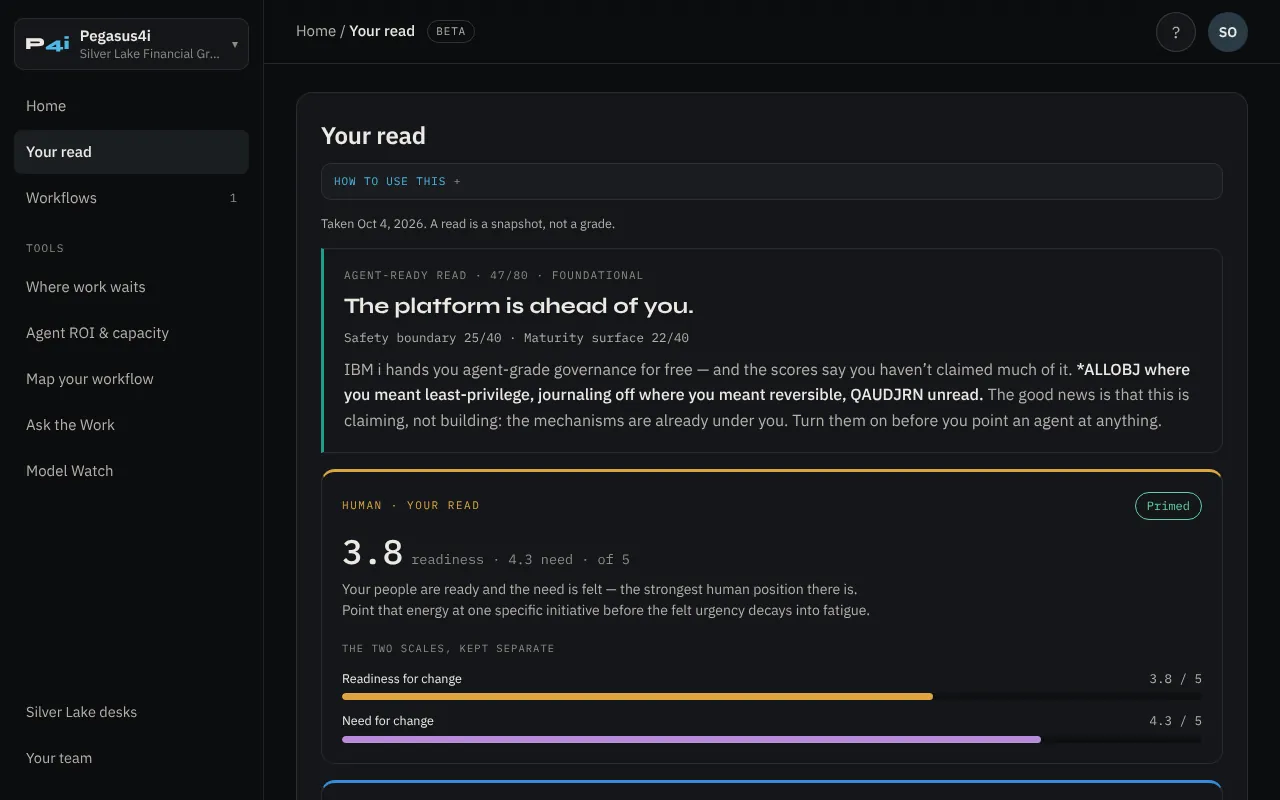
How it works
Five steps, about fifteen minutes to the first real answer.
Pick a door
Pegasus4i if you run IBM i, Pegasus Collective if you’re rethinking the whole organization, Pegasus Source if you’re a smaller team or sell online. The method is the same; the door decides which read comes first.
Take the read
A few minutes, before you have an account. It asks about the work, not the tools you own. You get a band and a short verdict, not a grade to file away. Retake it whenever something changes.
Create your profile
Your work email is your key. You get a sign-in link that works once and expires in 15 minutes. No password. Your read is saved the moment you’re in.
Work one real workflow
Find where it waits, put a number on the longest wait, then mark which decisions stay with your people. Use rough numbers; the gap between work and wait is usually so wide that precision doesn’t change the answer.
Follow your next step
Your home page shows the one thing worth doing next, worked out from what you’ve already done. Every result you save is filed by workflow, so nothing has to be redone.
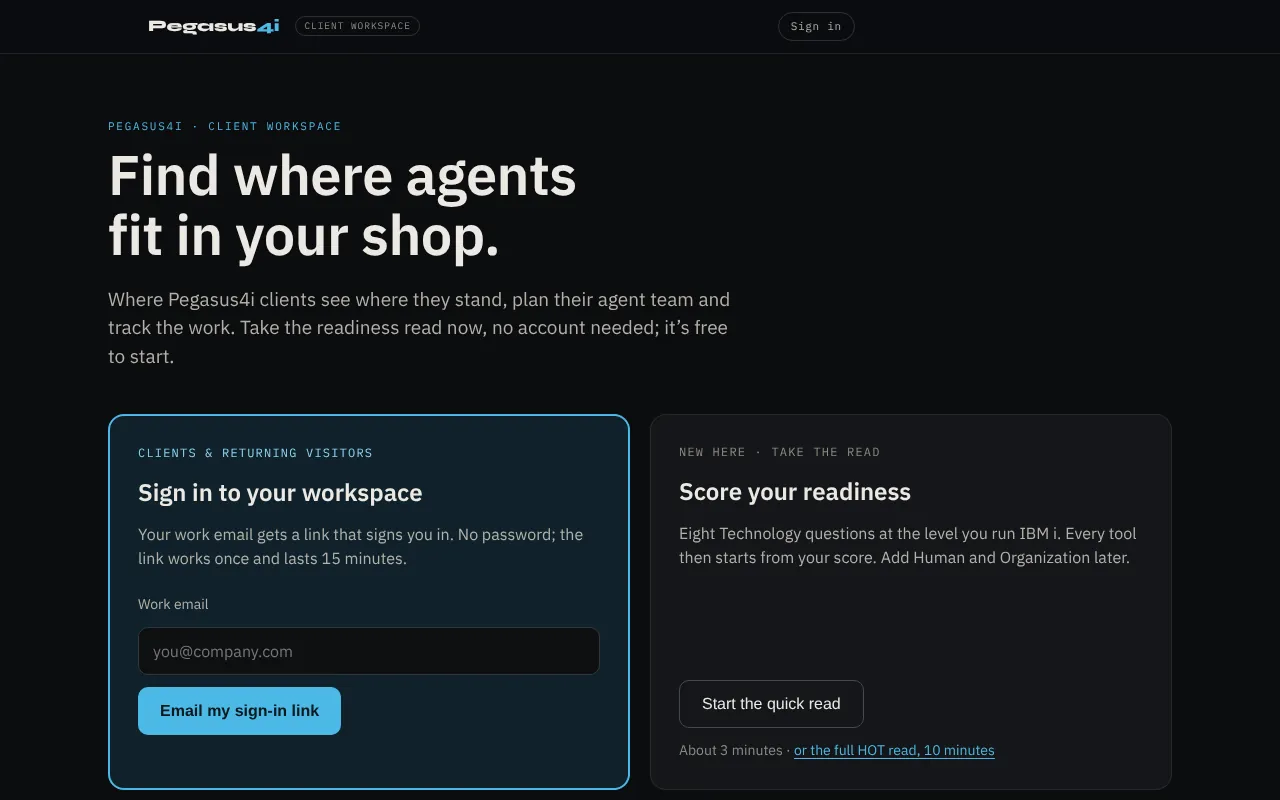 02–03Take the read, then sign in with a link
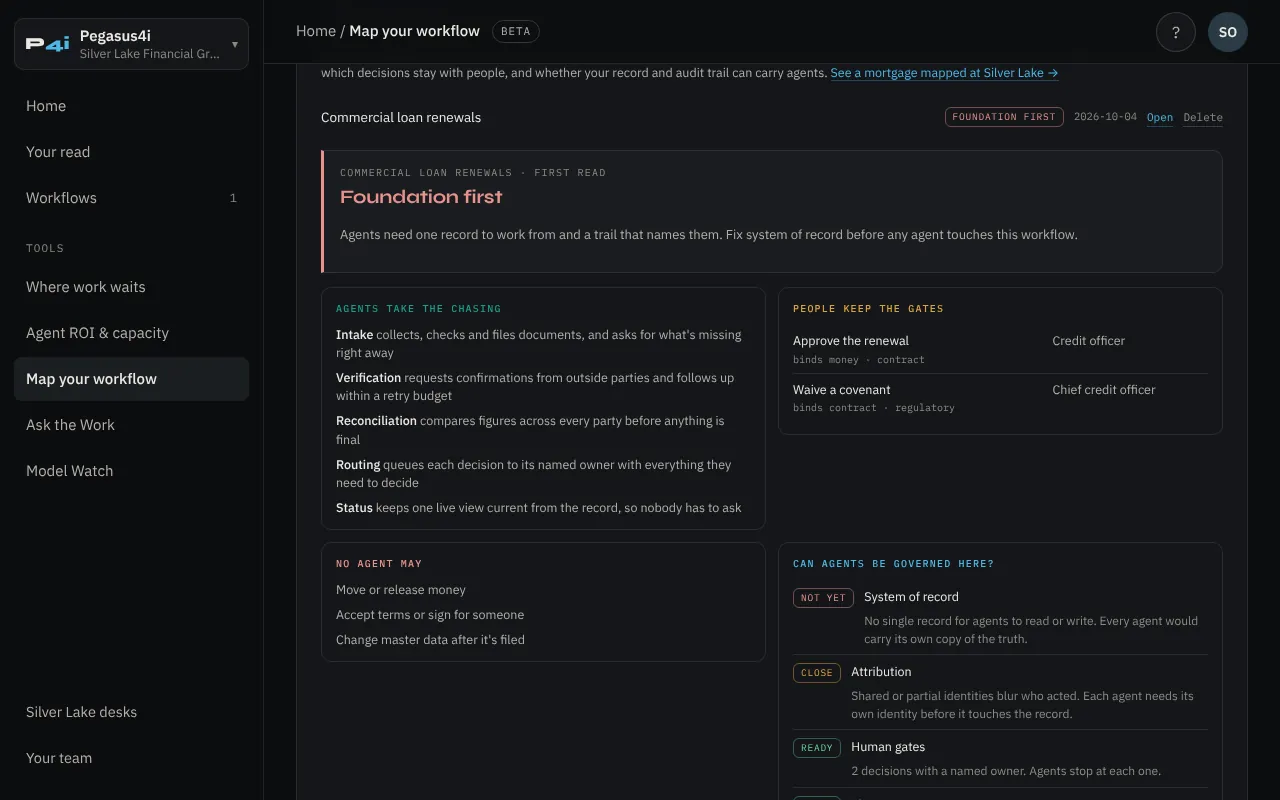 04Map one real workflow
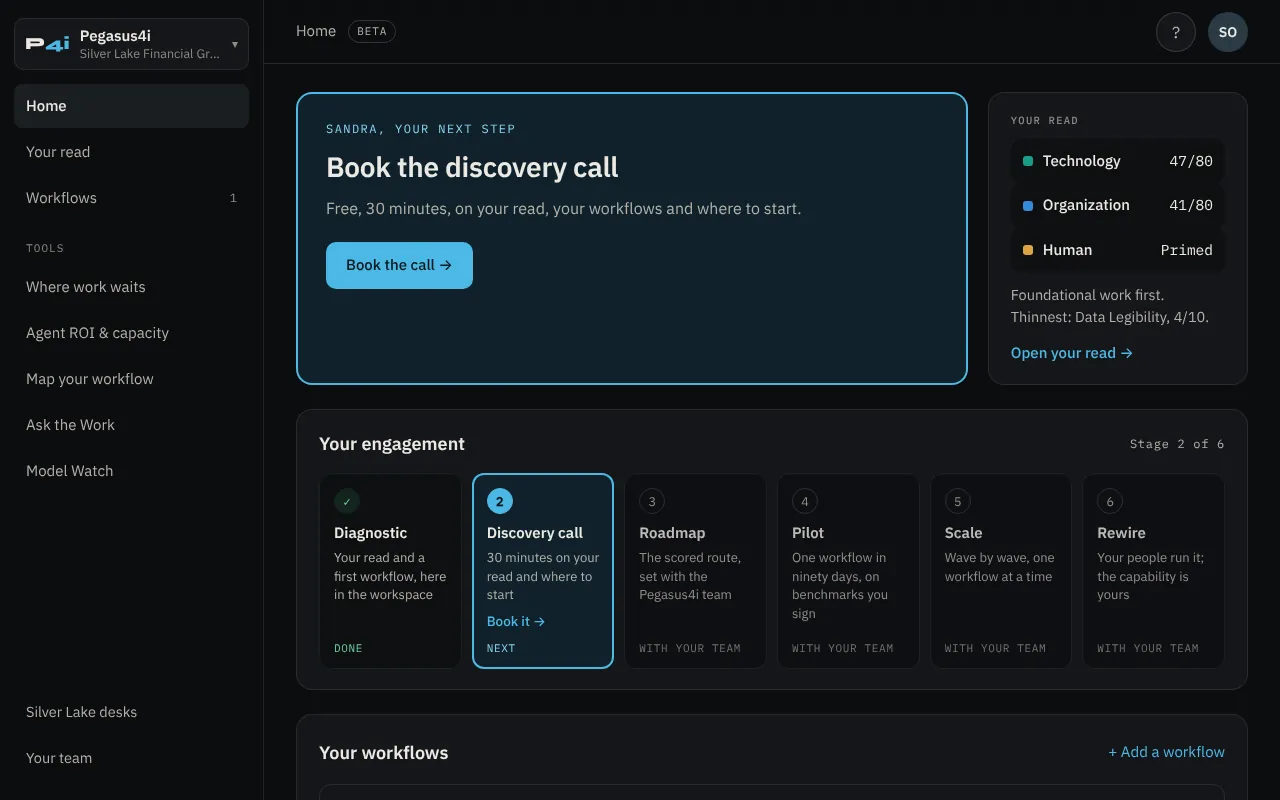 05Your next step, always on top
Screens from the Pegasus4i door, showing Silver Lake sample data. Select any screen to enlarge it.
The read is the one thing you can do without a profile. Everything after it is saved, which is why it needs one.
Why a profile
Every tool starts from your read, not from a demo script.
A read on its own is a snapshot. The value is in what it feeds. Take the capacity model: it needs to know what share of the manual work agents can realistically take. The workspace seeds that from your read: 70% if you’re production-ready, 50% if there’s foundational work first, 30% if it isn’t yet safe to widen. You can change it, but you start from where you actually stand.
The starting share in Agent ROI & capacity, set by your Technology read. You can change it.
The workflow tools work the same way. Where work waits finds the delay; Map your workflow decides what an agent may touch; the capacity model sizes it. A typical renewal, worked for four and a half hours across 27.2 days, makes the point: doubling the speed of the work saves almost nothing, while removing the longest wait saves a third of the time. That’s the kind of answer a pitch deck won’t give you.
One commercial loan renewal, end to end
Silver Lake sample data · from the Where work waits tool
One profile opens all three doors, and your reads and saved work follow you between them.
Where work waits
List the steps of one workflow with rough times. See how much is work and how much is waiting, and which wait to remove first.
Map your workflow
Five questions: where the chasing is, which decisions bind someone, what no agent may ever do, where the record lives, whether every step is attributed.
Agent ROI & capacity
Three numbers to start. A conservative floor that counts only work taken off people’s plates, and a full case beside it.
Ask the Work
Questions answered from the Pegasus writing, with the sources named, and a plain answer when a question falls outside them.
Model Watch
Open and closed models, one line each, every row dated, anything unconfirmed marked verify.
Silver Lake desks
A governed agent team in a demonstration lender that you can operate yourself.
Your organization · Bolt-on simulator
Where you’re thin, weakest first, and what an agent does to the cost of an outcome in an organization that isn’t ready.
Agent checkout
Set an AI agent’s rules and send it shopping in a live demo store. See what the store refuses.
Tools are marked Beta and change often. Every number is a model, not a forecast: check the inputs with the people who do the work.
See it work
A governed agent team you can operate yourself.
Planning your own agents is easier once you’ve seen a working set. Inside the workspace, the Silver Lake desks let you run one. Watch an agent cross into a lender’s system, with identity, scope, decision and audit happening in seconds. Walk a home loan through five scoped agents and four human gates, and decide each gate yourself. Set which agents may shop at a store, then try to get past the door.
The prequalification crossing and the store run live. The home loan is illustrated. Nothing is really lent or sold.
Silver Lake Financial Group is a demonstration company Pegasus uses to show this work running live. silverlakefinancialgroup.com ↗
Your data
What we keep, and what we don’t do with it.
Your email, and your name and company if you add them. Your reads, the results you save, the questions you ask, and a simple record of which tools you’ve used so your next step stays current.
You, the Pegasus team working with you, and the service providers that run the workspace under contract.
Used for advertising, sold or rented. No password to leak, and one sign-in cookie, with no third-party tracking cookies.
Ask at [email protected] and we close your workspace or delete your data.
The full terms are in the Privacy Notice ↗.
Three ways in
Pick the door that fits where you start.
Each door opens on its own read. You can switch doors from the header once you’re in.
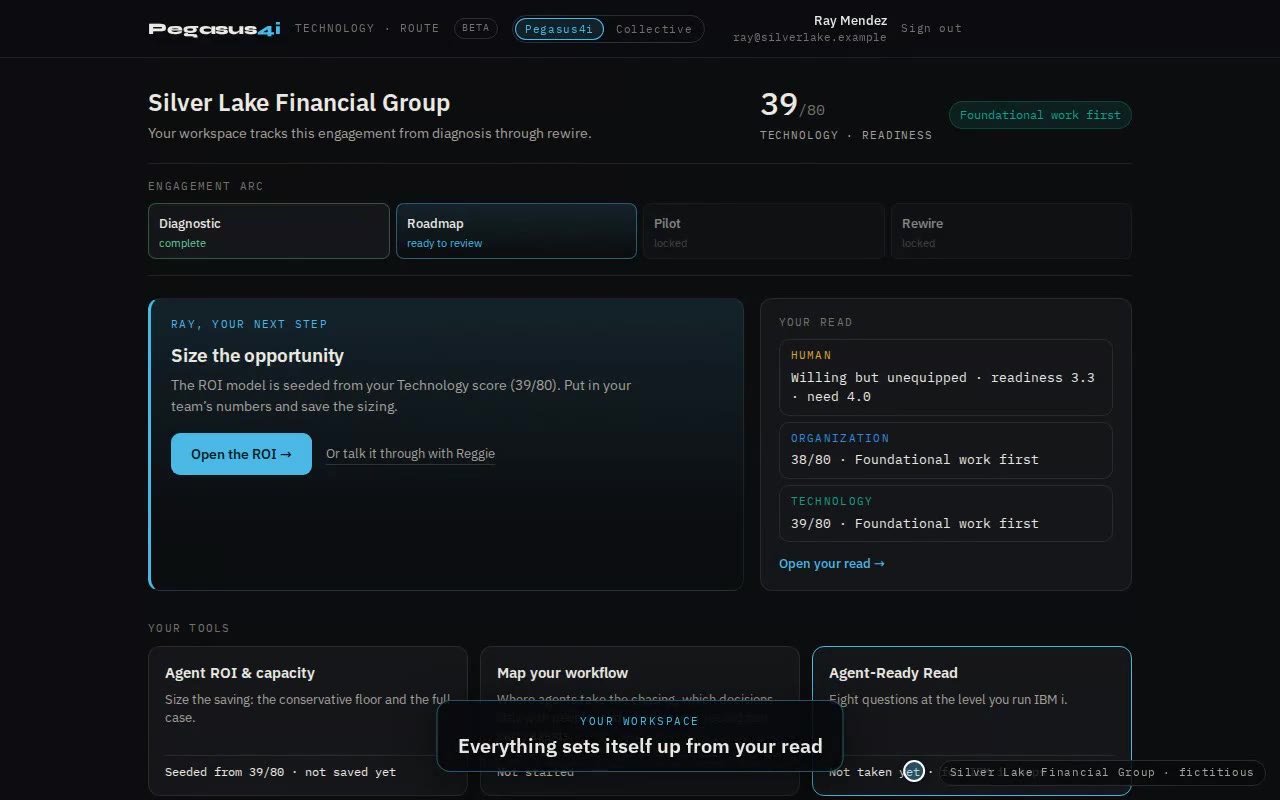
You run IBM i.
Your first read is the Agent-Ready Read: eight questions on how you run IBM i, about three minutes. The platform is often further ahead than its owner has been told.
Open the Pegasus4i door →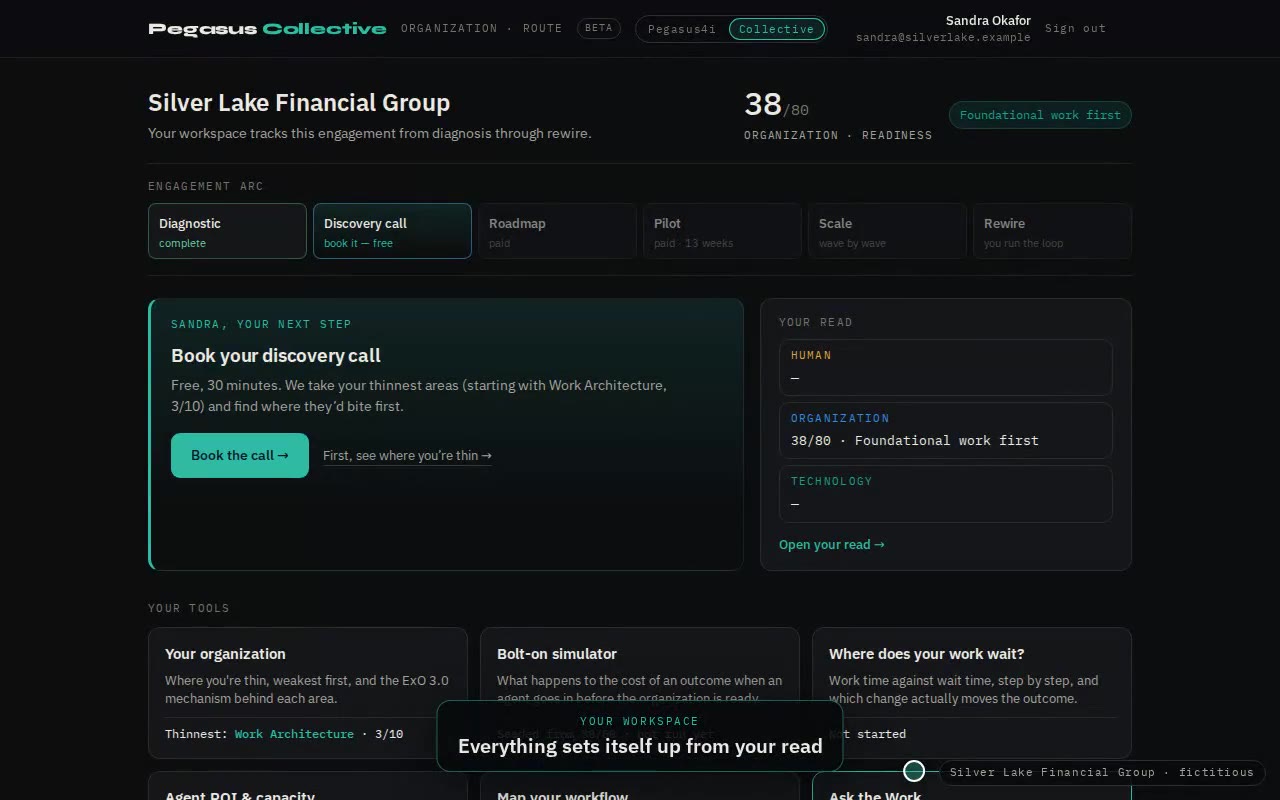
You’re rethinking how the organization works.
Your first read is the Organization read: eight areas from ExO 3.0, weakest first. Then the bolt-on simulator shows what an agent costs an organization that isn’t ready for it.
Open the Collective door →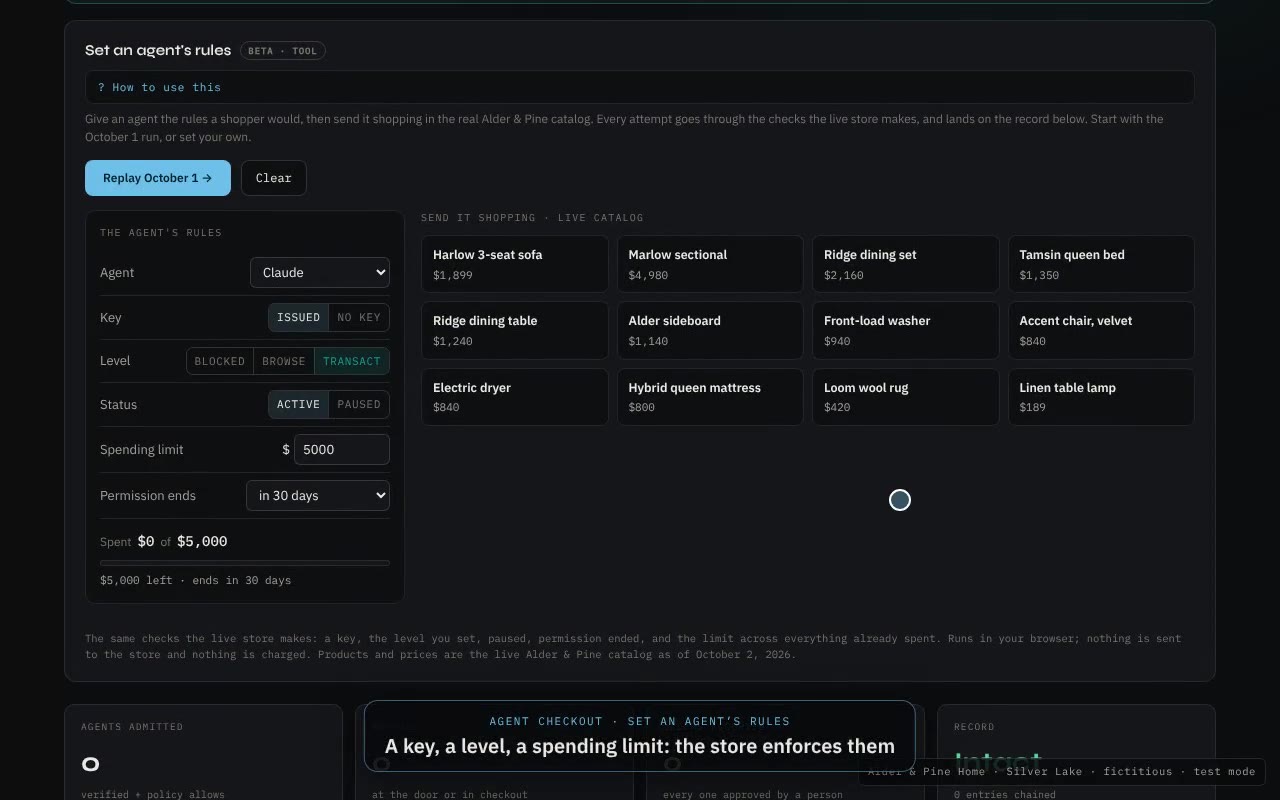
You’re a smaller team, or you sell online.
Your first read is Where you stand, a short read-first view. Then set an AI agent’s rules and send it shopping in a live demo store to see what the store refuses.
Open the Source door →The series
Inside the Workspace. One tool at a time.
This is part 1. Each part after it takes one tool: the idea behind it, how it plays out at Silver Lake, what it means from each door, and where to try it.
How the workspace works, and whyWhy it exists, what happens at each step, and what happens to your data.
Start with where you standYou can’t plan a crossing without knowing your starting point.
Where work waitsMost of a workflow’s time is waiting, not working. Find the wait before you automate.
Draw the work before you automate itWhich steps an agent can carry, and which decisions stay with people.
Capacity, not headcountAgents free judgment. The math should show capacity, not cuts.
Watch it runA governed agent team you can operate yourself, in a demonstration company.
Know your modelsOpen or closed, and where the model runs, is a governance decision.
When the customer is an agentAgents are learning to buy. Decide what they may do at your door.
Bring one workflow.
Take the read, create your profile, and find where that workflow waits. About fifteen minutes. No password, no sales call.